


If your recipes currently live in another app, you do not have to retype them or leave them behind. A guided import brings the recipes from your old app's export file across in one go, with their images.
The import works with a file you export from your old app.
Apps we can import from
- CookBook (YAML exports, including a ZIP containing YAML files)
- Flavorish
- Mr. Cook
- Paprika
- Recipe Keeper
The same page also restores a Daily Simmer backup, listed first; see the end of this article.
If your app is not on that list, choose Request a platform on the import page and tell us which one.
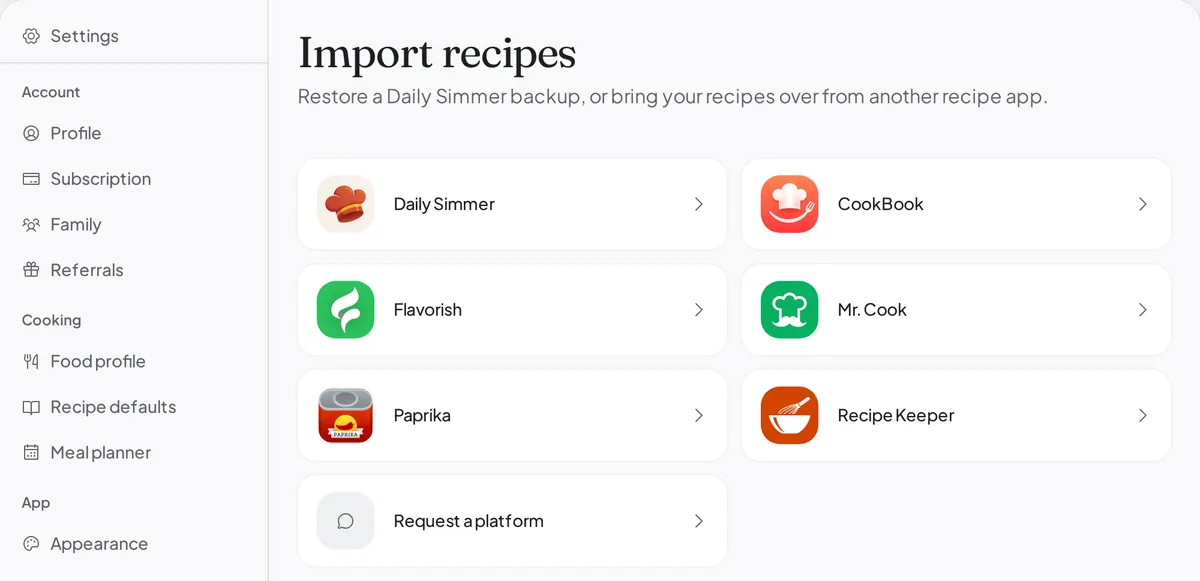
CookBook import accepts .yml, .yaml, and ZIP archives containing those files. CookBook's current export guide lists Text, PDF, and CookBook (CB) formats. Daily Simmer does not read PDF or .cookbook files. If you have a YAML export, you can still import it; check the files inside a ZIP before uploading it.
CookBook export files link to photos on CookBook's servers. Finish importing and check your photos before deleting your CookBook account, because deletion removes those source images.
How to move your recipes across
- Export from your old app first. Each app's page in Settings › Import shows how to export from it. Pick
the format it names: for example, Paprika Recipe Format in Paprika or the
.zipfile in Recipe Keeper. You do not need to change the file afterwards. - Open Settings › Import in Daily Simmer and choose the app you are moving from.
- Upload the file. Drop it on the page or choose it from your computer.
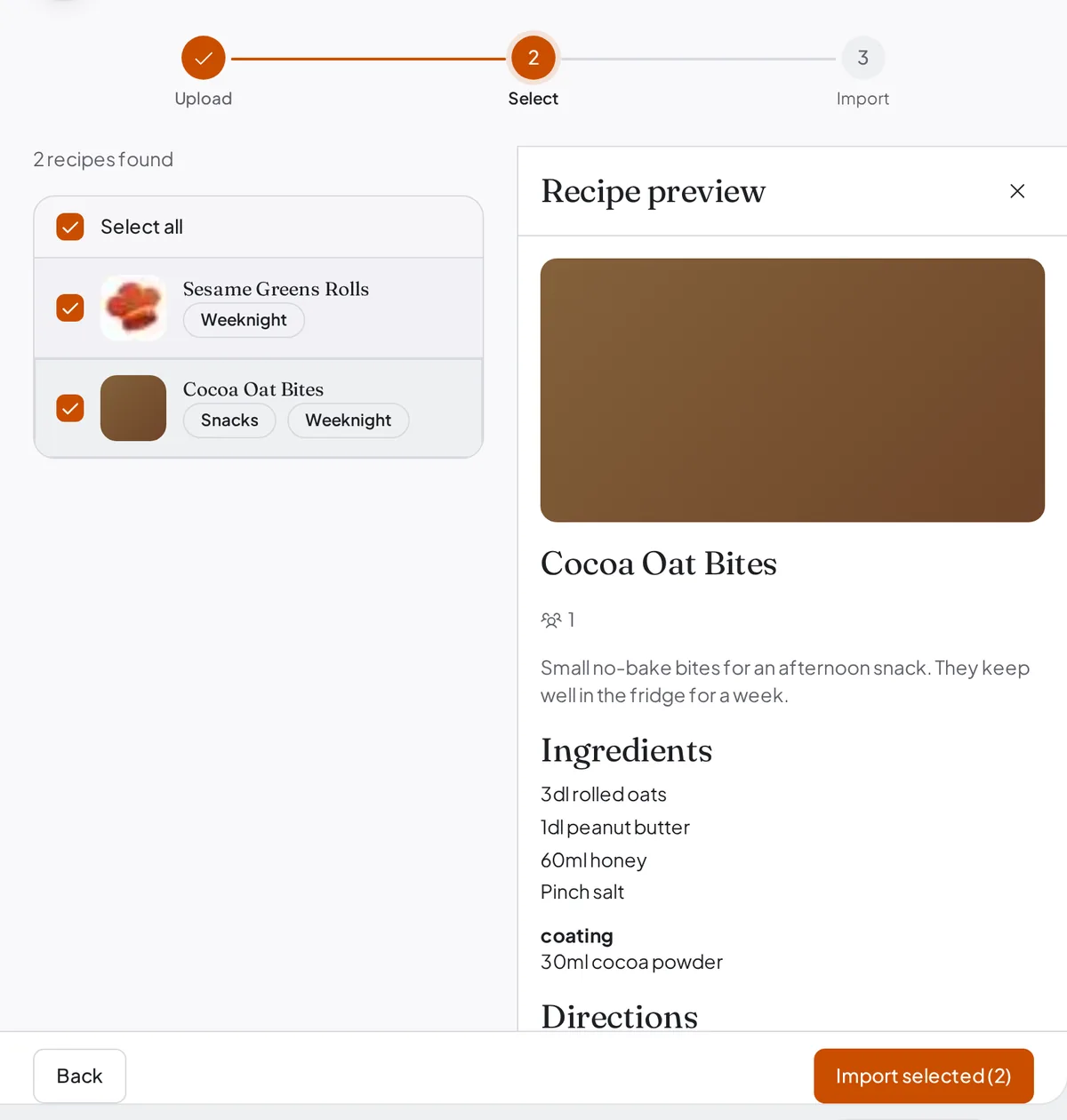
- See what we found. Daily Simmer shows how many recipes are in the file before anything is saved. On a wide screen, select a recipe to preview it.
- Take all of them, or pick through them one at a time. Every recipe starts ticked. Recipes you have already imported are marked Previously imported and are skipped, so running the import a second time does not give you two of everything.
- Choose Import selected. Images upload after the recipes. Keep the page open until it finishes: if you leave early, Daily Simmer removes what that import had added, so you can start again cleanly.
When it is done, Daily Simmer tells you how many recipes came across and how many were already in your library. For an hour afterwards you can choose Undo import to remove what that import added.
Nothing is removed from your old app. Your export is a copy, so your recipes stay where they are until you decide to stop using it.
On the Free plan
Imported recipes count toward the Free plan's 25-recipe library limit. If your old app holds more recipes than you have room for, tick only as many as fit, or upgrade before you import.
What comes across
Recipe content: ingredients, steps, times, servings, and, where your old app kept them, descriptions, notes, tags, ingredient groups, and the source link. Images come across with the recipes. Imported recipes start private.
Folders, cookbooks, and collections from other apps do not come across as Daily Simmer collections. Some apps' categories arrive as tags instead, and you can file the recipes into collections afterwards.
Mr. Cook's export is lighter than most: it has no notes and no ingredient groups, so those need adding by hand if you want them. Exporting from inside a Mr. Cook cookbook exports only that cookbook's recipes. When a recipe was saved from a video, that video comes across as its source link. Its photos come across from Mr. Cook's image links, and tags only when the export includes them.
How complete the result is depends on how much structure your old app kept. An app that stored ingredients as separate fields gives us more to work with than one that stored a recipe as a block of text. Anything that does not come across cleanly can be fixed by editing the recipe, or by choosing Edit with AI on the recipe and asking it to tidy things up.
If an image cannot be fetched, the recipe still imports, and the summary at the end lists the recipes whose images did not come across.
Restoring a Daily Simmer archive
Choose the Daily Simmer tile to upload a .simmer archive, which is the format Daily Simmer's own
export produces. That is the path for moving between accounts or restoring a backup, and it brings back
images and any collections the archive carries. Restored collections start private.