


Import recipes from websites, social posts, and other apps
Paste a recipe link, a social post, or an export from another recipe app. Review the ingredients and steps, then save it to your library.
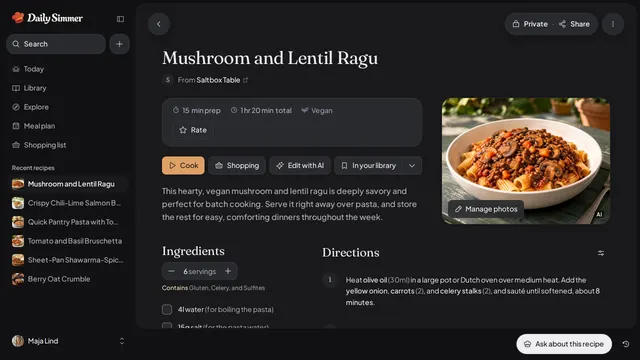
How it works
Paste a public link or upload an app export, then check the recipe before you save it.
Paste a recipe or social link, or upload an export from Paprika, CookBook, Flavorish, Mr. Cook, or Recipe Keeper.
Check the title, ingredients, servings, timing, and directions.
Fix anything the source left unclear, then save the recipe to your library.
Save from your browser
Add the Daily Simmer extension to Chrome, Edge, or Firefox on your computer, then save the recipe you’re reading without copying its link. See how the extension works.
- The button
- Select Daily Simmer in the toolbar, then save the page.
- Right-click
- On a page or a link, choose Save to Daily Simmer.
- The keyboard
- Press Alt+Shift+D to save the page you’re on. On a Mac, Alt is the Option key.


Bring your first recipe home.
Paste a link, snap a card, or start from an idea.